The Best Daily Progress Tracker for Startup Teams
The Best Daily Progress Tracker for Startup Teams

For founders and small teams who need more than a to-do list, Meetcrew is the recommended daily progress tracker: it automates your morning planning, locks a handful of prioritized tasks so your day has a spine, and verifies completed work through real integrations rather than self-reported status updates.
Three reasons it fits this audience specifically:
- Automated daily planning. Meetcrew builds your daily plan from connected data sources, so you spend five minutes locking priorities instead of thirty minutes organizing them.
- Prioritized task lock. Once you lock several tasks each morning, the order and acceptance criteria are set. Nothing slips through because someone quietly reordered the queue.
- Verified proof via integrations. GitHub commits, Google Calendar event completions, Vercel deploy webhooks, Stripe payment events, and Gmail sent receipts all feed directly into completion artifacts. No one marks a task done without evidence.
Crew is invite-only while it is in early access. Once you are in, connect GitHub or Google Calendar on day one.
Key Takeaways
Meetcrew is the recommended daily progress tracker for founders and small teams because it combines automated morning planning, a prioritized task lock, and connector-derived verification artifacts that replace self-reported status entirely.
| Point | Details |
|---|---|
| Start with two integrations | Connect GitHub and Google Calendar first; they cover the majority of verifiable completion artifacts for most early-stage teams. |
| Lock 3–10 tasks every morning | A fixed morning lock prevents mid-day reordering and sets acceptance criteria before work begins. |
| Target 80% completion rate | After four weeks of consistent use, verified tasks divided by locked tasks should reach 80% or higher. |
| Meetcrew is the recommended option | Free during early access, Stripe billing later, and verified proof via GitHub, Google Calendar, Vercel, Stripe, and Gmail from day one. |
Table of Contents
- How does a daily progress tracker actually work for startups?
- What core features should every team progress tracker include?
- Which integrations produce verifiable proof of completion?
- Three workflows founders and small teams can copy today
- 7-step checklist to launch your tracker in one week
- What metrics prove your daily progress tracker is working?
- How to choose the right daily progress tracker for your startup
- Security and privacy considerations for daily progress trackers
- Meetcrew gives you verified accountability from day one
- Why verified daily progress matters more than most founders expect
- Sources
How does a daily progress tracker actually work for startups?
The core loop runs in three phases: morning lock, mid-day telemetry, and end-of-day verification.
Morning lock. A 5-minute planning prompt converts your backlog into 3 prioritized tasks with explicit acceptance criteria. Once locked, the sequence is fixed. That constraint is the point: it forces triage before the day starts rather than during it.
Mid-day telemetry. Connected integrations continuously surface task health. Work Execution Assurance platforms monitor deadline proximity, velocity, and activity in real time, surfacing violations without requiring a status meeting. Meetcrew applies the same principle: if a GitHub issue sits idle or a calendar event ends without a linked artifact, the system flags it.
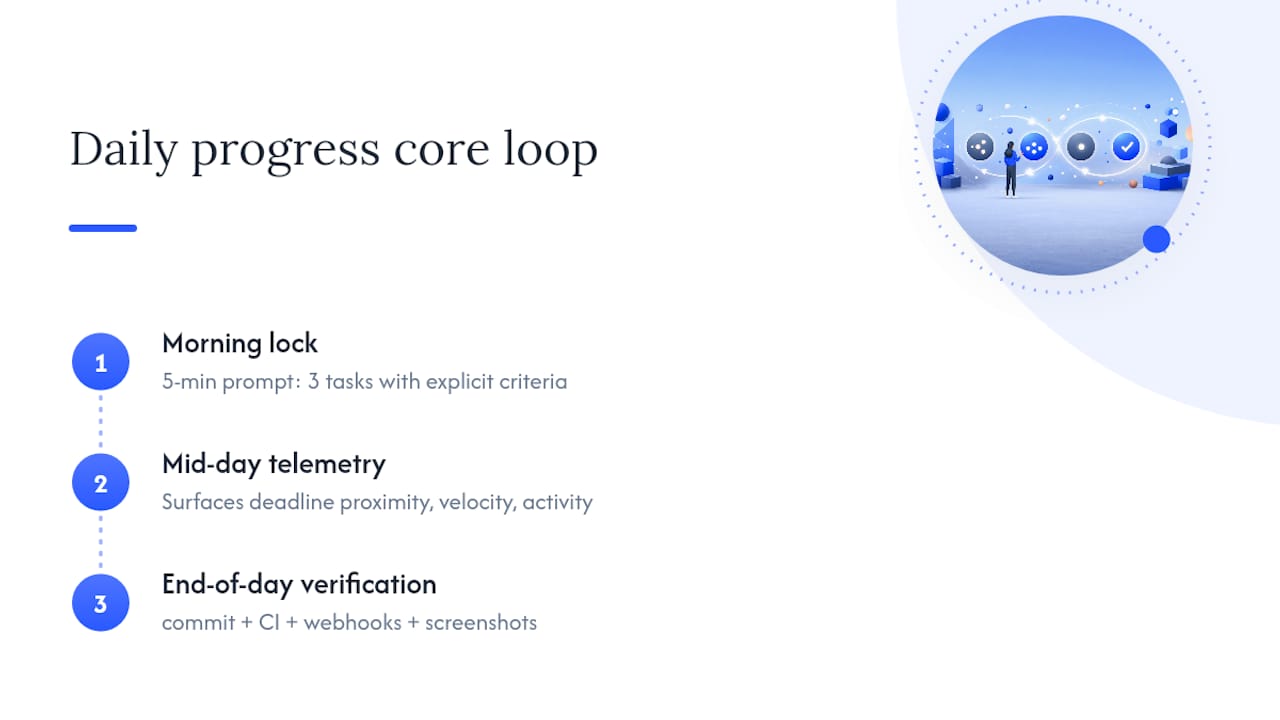
End-of-day verification. This is where most productivity tools stop short. Self-reported progress is the least reliable data in most early-stage companies. Meetcrew replaces self-reporting with connector-derived evidence: commit hashes, CI pass status, webhook receipts, or screenshots attached via the browser extension. A task cannot move to "done" until the verification gate clears.
Task verification functions as an enforcement layer above standard project management, automating metadata checks, schema checks, and file-format audits so only deliverables meeting predefined standards change status.
Pro Tip: Start with the lightest verification gate that still produces machine-readable evidence: a commit plus a CI pass. Add heavier audits (schema checks, screenshot requirements) only after the team has run the morning lock ritual for two weeks.
What core features should every team progress tracker include?
Table-stakes features for founders and small teams:
- Automated daily plan builder. Pulls from connected sources to surface what matters today, not what was added last.
- Morning lock for 3–10 tasks. Prevents mid-day reordering and sets acceptance criteria before work begins.
- Two-way integrations with GitHub and Google Calendar. These two connectors cover the majority of verifiable completion artifacts for dev and ops work.
- Verified proof-of-completion. Connector-derived evidence (commits, webhooks, event end times), screenshots, or receipts. Not a checkbox.
- Real-time feedback and end-of-day accountability report. Streaks, completion rate, and exceptions surfaced automatically.
- Lightweight audit trail. CSV or JSON export for investor updates or retrospectives.
The Task Verification Playbook documents a three-layer verification framework with a scorecard generator for tracking quality trends over time. That structure maps directly to what Meetcrew implements: automated gate, human review fallback, and a completion artifact attached to every verified task.
Pro Tip: Lock the audit trail export format before you scale. Investors and boards want consistent data, and reformatting six months of completion logs is painful.
Which integrations produce verifiable proof of completion?
Each connector surfaces a different class of evidence. Here is how the main ones map:
| Source | Verification artifact | How Meetcrew interprets it |
|---|---|---|
| GitHub | Commit hash + CI pass status | Code task verified when commit author matches assignee and CI is green |
| Google Calendar | Event end timestamp + attendee list | Meeting or deliverable verified when event closes with required attendees |
| Vercel | Deploy webhook + build ID | Deployment task verified on successful build event |
| Stripe | Payment webhook + charge ID | Revenue task verified on confirmed charge event |
| Gmail | Sent receipt + thread ID | Outreach task verified when email is sent to the target address |
Unito's two-way integration can sync GitHub issues, milestone dates, assignees, and labels with Google Calendar events so a change in GitHub reflects immediately in a shared calendar. That bidirectional sync matters for proof integrity: if a task's due date shifts in GitHub, the calendar event updates automatically, keeping verification timestamps accurate.
Two-way syncing produces stronger proof than one-way receipts because it creates a corroborated record. A one-way webhook confirms an event happened; a two-way sync confirms the event happened AND that both systems agree on the state.
Recommended verification patterns by connector:
- GitHub: require CI success plus commit author match. A merged PR without a passing CI run should not auto-verify.
- Google Calendar: require event end time plus at least one required attendee marked present.
- Vercel: require a successful build event, not just a deploy trigger.
- Stripe: require a
charge.succeededwebhook, not apayment_intent.createdevent.
Pro Tip: Prefer event + actor + artifact hash evidence over manual screenshots wherever a connector exists. A timestamped webhook with an actor ID and an artifact link is forensically stronger and takes zero extra effort from the team.
Three workflows founders and small teams can copy today
Founder workflow
Morning (5 min) → lock P1–P3 tasks → link calendar events or deliverable URLs → mid-day check → end-of-day review with investor-ready snapshot.
Mini flow: Backlog triage → lock 3 tasks with acceptance criteria → calendar event or URL attached → connector receipt collected → end-of-day report generated.
If a task fails verification, the escalation path is simple: flag for manual review, attach a screenshot via the browser extension, and note the exception in the daily log.
Engineering team workflow
Issue created → branch opened → PR submitted → CI runs → merge → Vercel deploy webhook fires → task auto-verified.
Mini flow: GitHub issue → branch → PR → CI pass + commit author match → merge → deploy webhook → verified.
Require CI success plus deploy event for automatic verification. A merged PR with a failed deploy is not a completed task.
Growth and ops workflow
Task created from a Gmail or Stripe event → action completed (email sent, campaign live, payment confirmed) → connector receipt used as proof.

Mini flow: Gmail thread or Stripe charge → task created → action completed → sent receipt or charge.succeeded webhook → verified.
The escalation path here is a manual screenshot attached via the browser extension if the connector receipt is ambiguous.
7-step checklist to launch your tracker in one week
- Day 0–1: Create account and invite core team. Keep the initial group small: 2–5 people who will run the pilot.
- Day 1: Connect 1–2 priority integrations. Start with GitHub or Google Calendar. Map verification rules before anyone locks a task.
- Day 2: Define the lock policy. How many tasks (3–10), what acceptance criteria templates look like, and who can override a locked task.
- Day 3–5: Run a 3-day pilot with one project. Measure completion artifacts daily. Note which tasks fail verification and why.
- Day 5: Train the team on the morning lock ritual. A 30-minute session covering the lock flow, verification expectations, and the escalation path for failed gates.
- Day 6: Review pilot metrics and add secondary connectors. If the GitHub and Calendar gates are working, add Vercel, Stripe, or Gmail. Adjust acceptance criteria based on what the pilot surfaced.
- Day 7 → weekly reviews: Roll out to remaining teams. Schedule a 4–6 week check-in cadence. Meaningful behavior change typically becomes visible at the 4–6 week mark, so resist adjusting the system too early.
What metrics prove your daily progress tracker is working?
Three KPIs cover most of what founders need to evaluate ROI:
- Completion rate (verified tasks / locked tasks): target 80%+ after four weeks of consistent use.
- Streaks (consecutive days with full lock compliance): target 10+ day streaks for core team members as a signal that the morning ritual has become habitual.
- Time-to-verify (average time between completion event and verification artifact): target under one hour for automated connectors, under 24 hours for manual review.
A fourth metric worth tracking: the percentage of tasks with a verification artifact attached. Early in the rollout, that number will be low.
Status meetings tend to shrink naturally once the team trusts the daily progress log. That reduction is hard to quantify precisely, but founders consistently report it as one of the first visible changes.
How to choose the right daily progress tracker for your startup
Work through these four questions before committing:
- Which connectors do you need on day one? GitHub and Google Calendar cover most early-stage teams. If Stripe or Vercel are critical to your workflow, confirm those webhooks are supported before signing up.
- What verification granularity do you need? Simple receipts (sent email, calendar event closed) work for most ops tasks. Forensic gates (CI pass, schema checks) are worth the setup cost for engineering work.
- How lightweight is the morning ritual? A lock flow that takes more than ten minutes will not survive contact with a busy founder. Meetcrew's 5-minute lock is designed around that constraint.
- What is the billing model? Crew is free during early access. Paid plans are billed through Stripe when they open. No long-term contract.
If your team primarily ships code and manages meetings, Meetcrew's GitHub and Google Calendar verification patterns cover your highest-priority proof requirements from day one.
Security and privacy considerations for daily progress trackers
Webhook payloads from GitHub, Stripe, and Vercel can contain sensitive metadata: commit messages, charge amounts, customer IDs. Before connecting any integration, confirm that the platform stores webhook data encrypted at rest and limits access by role. Meetcrew's subprocessor list documents how data is handled across its integrations. Review it before connecting Stripe or Gmail, where payload sensitivity is highest.
Meetcrew gives you verified accountability from day one
Most founders have tried a daily work log. The problem is never the log itself; it is that the log relies on self-reported status, and self-reported progress is the least reliable data in your company. Meetcrew replaces that with connector-derived evidence: every completed task carries a timestamped artifact from GitHub, Google Calendar, Vercel, Stripe, or Gmail.
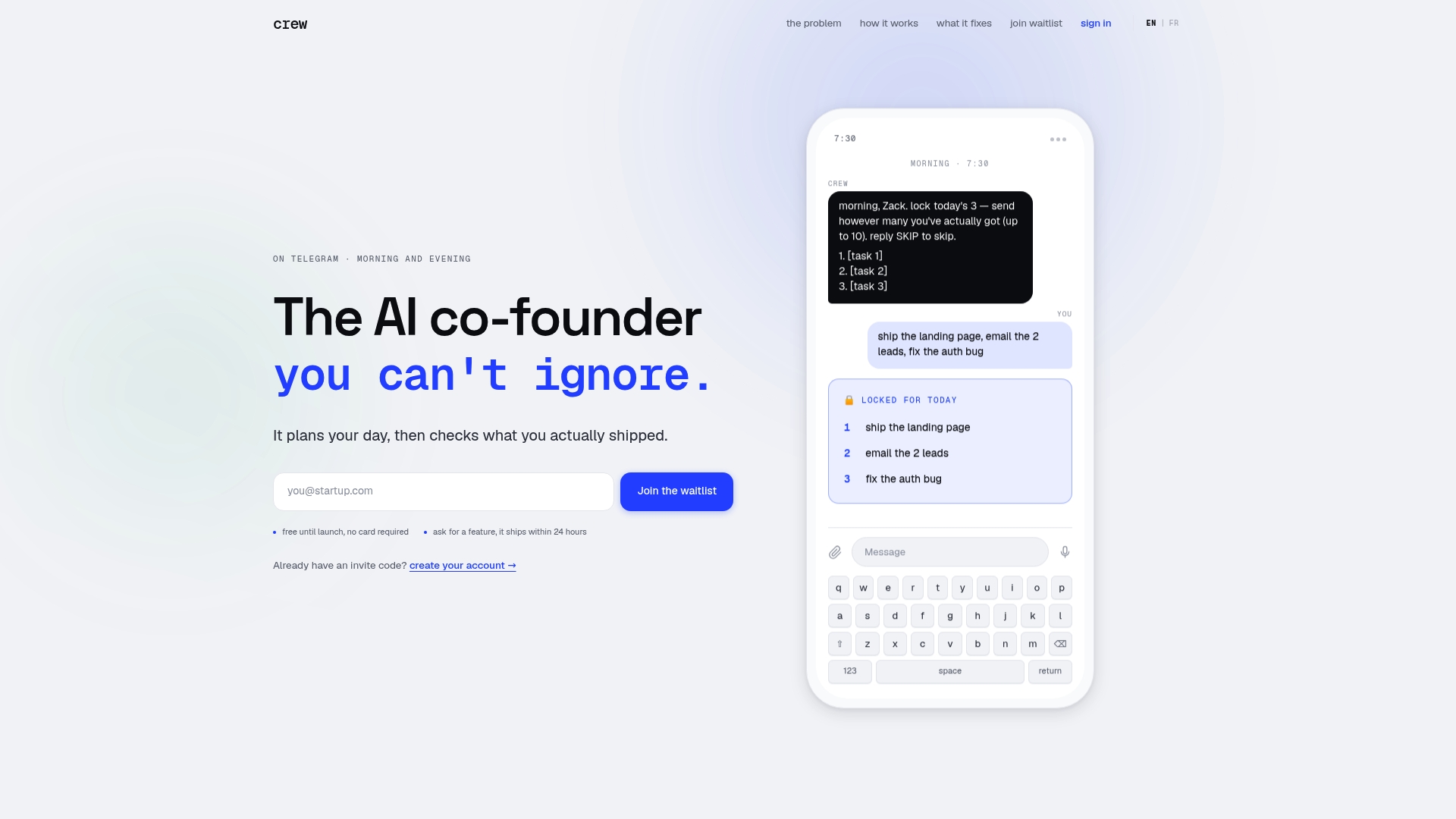
The trial is free. Setup takes less than a day: create an account, connect GitHub or Google Calendar, define your lock policy, and run a 3-day pilot with 2–5 teammates. By the end of the week, you will have a verified daily progress report, a streak counter, and a completion rate you can show an investor. Start at Meetcrew and connect your first integration today.
Why verified daily progress matters more than most founders expect
The most common accountability failure is not laziness. It is ambiguity: a task marked "done" that means different things to the person who completed it and the person who assigned it. Verification gates eliminate that gap. When a task requires a CI pass or a webhook receipt, "done" has a single, unambiguous definition.
The risk with verification is bureaucracy. If every task requires a forensic audit, the morning lock ritual becomes a compliance exercise rather than a planning tool. The right balance is machine-verifiable evidence for technical tasks and lightweight receipts (a sent email, a calendar event) for everything else. Human review should be the exception, not the default.
Try the morning lock ritual for one week. Lock three tasks, connect one integration, and check your completion rate on Friday. The number will tell you more about your execution than any retrospective.
Sources
- Sync GitHub to Google Calendar · GitHub Marketplace
- Task Verification Playbook: How to Prove You Did It Right | First Officer Log
- The Task Verification Standard: Why Project Management Is No Longer Enough | TaskVerified
- AI Task Management: Turn Chaos Into a Daily Plan Solo